Broken Laptop Screen Replacement Options for Clearer Display Performance
A laptop screen is one of the most essential components of any computer. It allows users to view documents, attend online meetings, watch videos, design graphics, and perform daily tasks. However, laptop screens are also delicate and prone to damage. Even a small accident can lead to cracks, display issues, or complete screen failure.
Many laptop users experience screen problems at some point. A device might slip from a desk, get squeezed inside a backpack, or suffer accidental liquid damage. Over time, display panels may also degrade due to age or manufacturing issues. When these problems occur, the usability of the laptop drops significantly. Tasks become difficult, productivity slows down, and the overall user experience is affected.
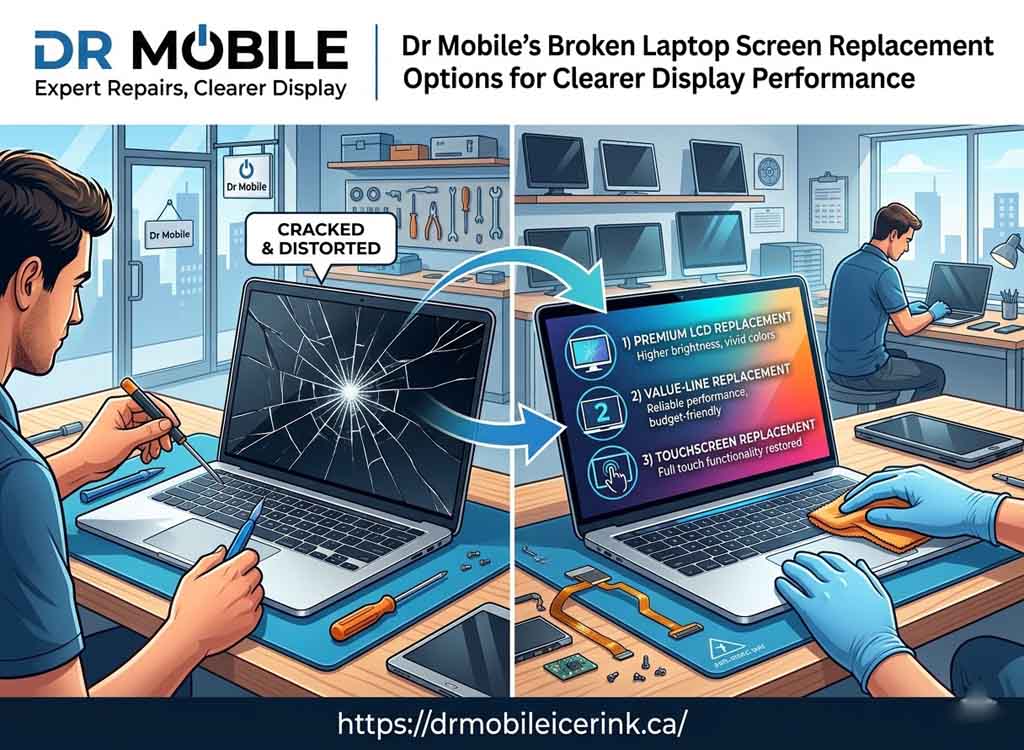
A broken screen does not always mean the entire laptop must be replaced. In many cases, laptop screen replacement is a practical and cost-effective solution. With the right repair approach, the display can be restored to clear and reliable performance.
Professional repair providers like Dr Mobile specialize in diagnosing and fixing display problems quickly and safely. Their experienced technicians understand different screen technologies and use appropriate tools and replacement parts to restore damaged displays.
This guide explains the most common causes of laptop screen damage, how to identify when a replacement is needed, and the different options available for restoring clear display performance.
Common Causes of Broken Laptop Screens
Laptop screens can become damaged in several ways. Understanding the common causes helps users prevent future problems and recognize when broken laptop screen repair is necessary.
Physical Impact or Accidental Drops
One of the most common causes of screen damage is accidental impact. Laptops can easily fall from tables, beds, or workstations.
Common situations include:
- Dropping the laptop while carrying it
- Accidentally knocking it off a desk
- Closing the lid with an object on the keyboard
- Impact during transportation
Even a minor drop can crack the display panel or damage internal components.
Pressure Damage Inside Bags
Many users carry laptops in backpacks or laptop bags. When heavy items press against the lid, the pressure can crack or distort the screen.
Examples include:
- Books pressing against the laptop in a bag
- Sitting on a backpack containing a laptop
- Overpacked luggage during travel
This type of damage often leads to internal screen cracks or dark spots.
Liquid Spills
Liquids are another major threat to laptop displays. Coffee, water, or juice spills can seep into the screen or display connectors.
Possible effects include:
- Short circuits in display components
- Screen flickering
- Permanent display discoloration
In such cases, laptop display repair may involve replacing the entire panel.
Manufacturing Defects
Although rare, some laptop screens develop issues due to manufacturing defects. These problems may appear shortly after purchase or after several months of use.
Common examples include:
- Early dead pixels
- Backlight failure
- Uneven brightness across the display
When these problems occur, replacing the panel often restores normal performance.
Aging Display Panels
Laptop displays gradually degrade over time. After years of use, the screen may lose brightness, develop color distortion, or experience flickering.
Typical aging issues include:
- Dim display brightness
- Color fading
- Dead pixels appearing over time
In these cases, replacing the screen can significantly improve visual clarity.
Signs Your Laptop Screen Needs Replacement
Not all screen issues require replacement, but certain symptoms strongly indicate that a new display panel is necessary.
Flickering Display
If the screen constantly flickers or blinks, the problem may lie in the panel itself or the display cable.
Possible causes include:
- Failing backlight
- Loose display connectors
- Damaged screen circuitry
When flickering becomes persistent, broken laptop screen repair may require panel replacement.
Dead Pixels or Black Spots
Dead pixels appear as small black or colored dots on the screen that never change. When many dead pixels appear, they become distracting and reduce screen clarity.
Signs include:
- Permanent black dots
- Bright pixels stuck on one color
- Growing clusters of dead pixels
Replacing the screen is usually the best solution.
Cracked Glass
Visible cracks are the clearest sign of screen damage. Even small cracks can expand over time and affect usability.
Cracks may cause:
- Touchscreen malfunction
- Display distortion
- Color bleeding
In such situations, users often need to replace cracked laptop screen panels.
Lines Across the Screen
Horizontal or vertical lines across the display often indicate internal screen damage.
Possible causes include:
- Impact damage
- Faulty display drivers
- Panel failure
When these lines remain visible regardless of software changes, replacement is usually necessary.
Dim or Distorted Colors
If colors appear faded or uneven, the screen may be nearing the end of its lifespan.
Symptoms include:
- Yellow or blue tint
- Uneven brightness
- Poor contrast
A new display panel can restore proper color accuracy.
Types of Laptop Screens
Different laptops use different display technologies. Understanding these screen types helps users choose the right laptop screen replacement option.
LCD Screens
LCD (Liquid Crystal Display) panels were widely used in older laptops. They rely on a backlight to illuminate the screen.
Characteristics include:
- Moderate color accuracy
- Affordable replacement cost
- Lower power consumption compared to older technologies
Many budget laptops still use LCD displays.
LED Screens
LED displays are an improved version of LCD technology. They use LED backlighting instead of fluorescent lighting.
Advantages include:
- Brighter screens
- Improved energy efficiency
- Thinner display panels
Most modern laptops use LED displays.
IPS Displays
IPS (In-Plane Switching) panels offer improved viewing angles and color accuracy.
Benefits include:
- Better color consistency
- Wider viewing angles
- Improved visual quality for design work
These screens are common in premium laptops and creative workstations.
OLED Displays
OLED technology produces vibrant colors and deep blacks by allowing each pixel to emit its own light.
Key features include:
- Exceptional contrast
- Ultra-thin panels
- Rich color performance
However, OLED screen replacement can be more expensive than traditional displays.
Laptop Screen Replacement Options
When a screen becomes damaged, users typically have several repair options.
Original Manufacturer Screen Replacement
This option uses the same display panel provided by the laptop manufacturer.
Benefits include:
- Guaranteed compatibility
- Original display quality
- Reliable performance
However, manufacturer panels may be more expensive than alternative options.
Compatible Third-Party Screen Replacement
Third-party panels are manufactured by other display companies but designed to match the original specifications.
Advantages include:
- Lower replacement cost
- Similar performance to original panels
- Wide availability
A professional laptop display repair technician can ensure compatibility.
Upgrading to a Higher-Quality Display Panel
Some laptops allow users to upgrade their display during replacement.
Possible upgrades include:
- Higher resolution panels
- IPS display upgrades
- Brighter screens
This option improves the overall viewing experience.
Touchscreen Replacement Options
Touchscreen laptops require specialized panels that support touch functionality.
When replacing these displays, technicians must ensure:
- Touch sensors are compatible
- Drivers function correctly
- Display calibration works properly
Professional repair services are recommended for these replacements.
DIY Screen Replacement vs Professional Repair
When dealing with a broken display, users often consider repairing it themselves.
Risks of Replacing the Screen Yourself
DIY repair may appear cost-effective, but it carries several risks:
- Incorrect screen model installation
- Damage to display cables
- Broken hinges or frame components
- Static electricity damage to internal parts
Laptop screens are delicate and require careful handling.
Benefits of Professional Technicians
Professional repair technicians have the expertise and tools needed for safe screen replacement.
Advantages include:
- Accurate diagnostics
- Correct screen compatibility
- Safe installation techniques
- Reduced risk of further damage
This makes professional laptop screen replacement a safer option.
Importance of Proper Tools and Compatible Parts
Screen replacement requires specialized tools such as:
- Precision screwdrivers
- Plastic opening tools
- Anti-static equipment
Technicians also verify that replacement panels match the laptop model.
Step-by-Step Laptop Screen Replacement Process
Professional repair services follow a structured process to ensure safe installation.
Diagnosis and Inspection
Technicians first inspect the laptop to determine the cause of the display problem.
This step includes:
- Checking internal display cables
- Testing external monitors
- Verifying GPU functionality
Accurate diagnosis prevents unnecessary part replacements.
Removing the Damaged Screen
The next step involves carefully removing the broken display.
This process typically includes:
- Removing the bezel around the screen
- Unscrewing the display panel
- Disconnecting display cables
Technicians handle this step carefully to avoid damaging other components.
Installing the New Display Panel
Once the old panel is removed, the replacement screen is installed.
Steps include:
- Connecting display cables
- Securing the new panel
- Reattaching the screen bezel
Proper alignment ensures optimal display performance.
Testing Brightness, Color, and Resolution
After installation, technicians test the screen thoroughly.
Tests include:
- Checking brightness levels
- Verifying color accuracy
- Confirming resolution settings
These tests ensure the replace cracked laptop screen process was successful.
Benefits of Professional Laptop Screen Repair
Choosing professional repair services provides several advantages.
Accurate Installation
Experienced technicians install screens correctly and securely.
This prevents:
- Loose connections
- Display flickering
- Alignment problems
Warranty on Parts
Many repair providers offer warranties on replacement parts.
This gives users confidence that their broken laptop screen repair will last.
Faster Repair Time
Professional technicians can often replace screens quickly due to experience and proper tools.
This reduces downtime for users who rely on their laptops for work or study.
Long-Term Durability
Proper installation ensures the new screen performs reliably over time.
Quality replacement panels also improve overall display performance.
Why Choose Dr Mobile for Laptop Screen Replacement
Finding a reliable repair service is essential when dealing with laptop display problems.
Skilled Technicians
Dr Mobile technicians have experience repairing various laptop models and display technologies.
Their expertise allows them to handle complex laptop display repair tasks efficiently.
High-Quality Replacement Parts
Using reliable replacement screens ensures consistent display quality and durability.
Technicians select parts that match the laptop’s specifications.
Quick Turnaround Time
Efficient repair processes help minimize waiting time for customers.
This allows users to return to work or study quickly.
Reliable Customer Service
Clear communication and transparent repair procedures make the service experience smoother for customers.
Tips to Protect Your Laptop Screen
Preventing screen damage can save time and repair costs.
Use Protective Laptop Sleeves
A padded sleeve protects the laptop from impacts during transportation.
This reduces the risk of screen cracks.
Avoid Pressure on the Lid
Users should avoid placing heavy items on top of closed laptops.
This prevents pressure damage.
Clean the Screen Properly
Use a soft microfiber cloth and appropriate screen cleaner.
Avoid harsh chemicals that may damage display coatings.
Store the Laptop Safely During Travel
When traveling, place the laptop in a dedicated compartment within a backpack or bag.
Keeping the device secure reduces movement and impact.
Conclusion
Laptop screens play a critical role in everyday computing. When a display becomes cracked, flickers, or develops visual defects, it can severely affect productivity and usability. Fortunately, most screen issues can be resolved through laptop screen replacement.
Understanding the causes of screen damage—such as accidental drops, pressure in bags, liquid spills, and aging panels—helps users identify problems early. Recognizing warning signs like flickering displays, dead pixels, screen cracks, or color distortion also helps determine when replacement is necessary.