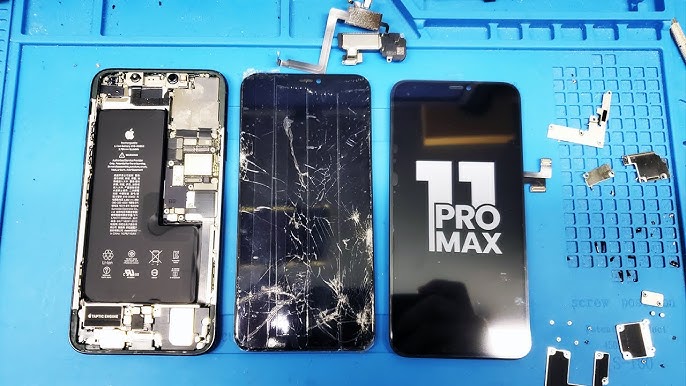
iPhone Screen Replacement Guide for Cracked or Unresponsive Displays
A fully functional iPhone screen is essential for staying connected, navigating apps, and protecting your device. Unfortunately, accidents happen, and iPhone screens can crack, become unresponsive, or display flickering pixels. Whether it’s a drop on a hard surface, a spill, or general wear and tear, knowing when and how to get your screen repaired can save both frustration and money. This guide from Dr Mobile provides comprehensive insights into iPhone screen replacement, cracked iPhone screen repair, and unresponsive iPhone screen fix options.
Signs You Need a Screen Replacement
Recognizing the signs of a damaged iPhone screen is the first step in ensuring your device continues to function properly. Not all issues require immediate repair, but ignoring screen problems can lead to more extensive damage.
Cracked or Shattered Glass
A visible crack, chip, or shattered glass is the most obvious indicator that a screen needs replacement. Even minor cracks can worsen over time or interfere with touch sensitivity.
Unresponsive Touch or Ghost Touch
When your iPhone stops responding to taps, swipes, or gestures, it could indicate a problem with the digitizer, the component responsible for detecting touch. This issue often requires a professional unresponsive iPhone screen fix.
Display Issues: Dead Pixels, Flickering, or Discoloration
If your iPhone shows black spots, flickering areas, or color distortions, these are signs of internal screen damage. Such problems may not be visible immediately after a drop but can worsen over time.
Screen Not Lighting Up
A completely black screen could indicate a damaged display or internal connection issues. In some cases, this may coincide with other symptoms like unresponsiveness, signaling the need for professional iPhone repair services.
DIY vs. Professional Repair: Making the Right Choice
Many iPhone users wonder whether they can fix their screens at home. While DIY repair kits are available, there are significant advantages to using professional services like Dr Mobile.
DIY Screen Replacement: Pros and Cons
Pros:
- Lower upfront cost if you already have tools
- Quick access to replacement parts
Cons:
- High risk of further damage if done incorrectly
- May void warranty or AppleCare coverage
- Requires technical knowledge and precision
- Difficult to handle fragile internal components
Professional Repair Services: Pros and Cons
Pros:
- Certified technicians handle repairs safely
- Use of genuine parts ensures quality and longevity
- Provides warranty on repairs
- Less risk of internal damage
Cons:
- Higher cost compared to DIY
- May require scheduling and wait time
For most iPhone users, professional cracked iPhone screen repair or iPhone screen replacement is the safer, more reliable option.
Steps in Professional iPhone Screen Replacement
Understanding how professionals replace iPhone screens can give you confidence in the service and what to expect. At Dr Mobile, technicians follow a detailed, methodical process to ensure your device is restored safely.
1. Initial Diagnosis
Technicians inspect your iPhone to assess the extent of damage. This includes:
- Checking for cracks or broken glass
- Testing touch responsiveness
- Inspecting display quality for dead pixels or flickering
2. Device Preparation
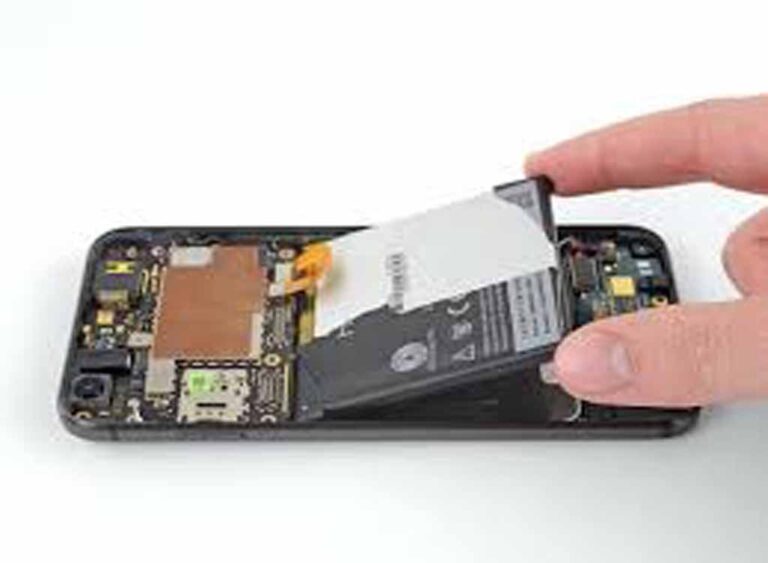
Before repair, your iPhone is powered down, and any sensitive components are safeguarded. Technicians may remove the battery or disconnect certain parts to prevent accidental short circuits.
3. Removing the Damaged Screen
The cracked or unresponsive screen is carefully detached. This step involves:
- Loosening screws and connectors
- Separating the display without harming internal components
- Properly discarding or recycling the broken screen
4. Installing a New Screen
A replacement screen, often a genuine Apple or high-quality OEM part, is installed. Technicians ensure:
- Proper alignment of the display and digitizer
- Secure connection of all flex cables
- Tightening of screws to original specifications
5. Testing and Quality Check
Once the new screen is installed, comprehensive testing ensures your iPhone functions correctly:
- Touch sensitivity is checked
- Display quality is verified for clarity and color accuracy
- Front-facing camera, sensors, and Face ID functionality are tested
6. Device Cleanup and Handover
Your iPhone is cleaned, and protective covers are reinstalled if applicable. Technicians explain any precautions and provide a warranty for the repair.
Cost Considerations for iPhone Screen Replacement
Pricing for iPhone screen replacement varies depending on several factors:
Model and Screen Type
- Older models may cost less to repair
- Newer models with OLED or high-refresh-rate displays are more expensive
Part Quality
- Genuine Apple parts ensure durability but cost more
- High-quality third-party parts may offer savings but vary in longevity
Additional Damage
- If the frame, digitizer, or internal components are damaged, repair costs can increase
- Water damage can also complicate repairs
Service Provider
Professional iPhone repair services like Dr Mobile may charge more than DIY kits but provide reliability, warranty, and peace of mind.
Tips for Maintaining Your iPhone Screen
Preventing future screen damage is just as important as repair. Here are practical tips to keep your display in top condition:
Use Screen Protectors
Tempered glass or film protectors add a layer of defense against scratches and cracks.
Invest in a Durable Case
A shock-absorbing case can prevent damage from accidental drops.
Avoid Water Damage
Keep your iPhone away from liquids and consider waterproof pouches when near water.
Safe Handling Practices
- Avoid placing your phone in back pockets or crowded bags
- Clean your screen gently with microfiber cloths
- Avoid using sharp objects on the display
Frequently Asked Questions (FAQs)
How long does an iPhone screen replacement take?
Professional repairs typically take 30–90 minutes, depending on the model and extent of damage.
Will replacing my screen affect Face ID?
At Dr Mobile, technicians handle Face ID components carefully. Reputable services ensure Face ID remains functional after repair.
Can a cracked screen cause further damage?
Yes. Cracks can worsen over time, and exposure to dust or moisture may damage internal components, making timely repair essential.
Is DIY repair worth it?
DIY repairs are only recommended for technically skilled individuals. Mistakes can lead to permanent damage and void warranties.
How do I know if I need a full screen replacement or just a glass repair?
Minor surface cracks might only require glass replacement, but unresponsive touch or display issues usually need a complete iPhone screen replacement.
Conclusion
A cracked or unresponsive iPhone screen can disrupt daily life, but timely repair ensures your device continues to function reliably. While DIY solutions exist, professional iPhone repair services from trusted providers like Dr Mobile offer safety, quality, and peace of mind. From diagnosis to installation of genuine parts, professional technicians ensure your iPhone is restored to optimal condition.
If you’re experiencing touch issues, flickering, or a shattered display, don’t wait—seek expert help for lasting results and enjoy your iPhone as it was meant to be.