How to Handle Samsung Water Damage Before Visiting a Repair Shop
Water damage is one of the most common problems Samsung smartphone users face. A phone can fall into water within seconds, yet the internal damage may continue for hours or even days. Many users are unsure what to do immediately after water exposure, and small mistakes can make the situation worse.
This guide explains how to handle a water-damaged Samsung phone before visiting a repair shop. It focuses on safe, practical steps, common mistakes to avoid, and why professional inspection is often necessary. The goal is to help users protect their device and data until a Samsung water damage repair specialist can examine the phone.
Common Causes of Samsung Phone Water Damage
Water damage does not only happen when a phone falls into a pool or sink. In many cases, users do not realize their device has been exposed to moisture until problems appear later.
Accidental Drops in Water
The most obvious cause is dropping a Samsung phone into water, such as:
- Toilets
- Sinks
- Bathtubs
- Buckets or containers
Even a few seconds of immersion can allow water to enter through charging ports, speaker grills, or SIM tray gaps.
Rain and Outdoor Exposure
Using a phone during heavy rain or placing it in a wet pocket or bag can cause moisture buildup. Over time, water can slowly seep inside the device, especially if seals are worn.
Spills and Splashes
Spilled drinks like water, tea, coffee, or juice are common causes of damage. Liquids with sugar or salt are more harmful than clean water, as they leave residue inside the phone.
Humidity and Steam
Bathrooms, kitchens, and other humid environments can expose phones to steam. Long-term humidity can affect internal circuits even without direct water contact.
Sweat and Moisture During Use
Carrying a phone during workouts or outdoor activities can expose it to sweat. Over time, this moisture may enter ports and speaker areas.
Understanding Water Resistance in Samsung Phones
Many Samsung models come with water resistance ratings, such as IP67 or IP68. These ratings can create a false sense of security.
What Water Resistance Really Means
Water resistance:
- Is tested under controlled conditions
- Does not guarantee protection in all situations
- Can weaken over time due to wear and tear
Small cracks, previous repairs, or aging seals can reduce protection.
Why Water Damage Can Still Occur
Even water-resistant phones can suffer damage if:
- Submerged longer than recommended
- Exposed to high-pressure water
- Contacted with liquids other than fresh water
Because of this, water exposure should always be taken seriously.
Immediate Steps to Take After Samsung Phone Water Exposure
Quick action is critical. The steps taken in the first few minutes can greatly affect the outcome of Samsung water damage repair.
Power Off the Phone Immediately
If the phone is still on:
- Turn it off as soon as possible
- Do not restart it to “check if it works”
Electric current combined with moisture can cause short circuits inside the phone.
Disconnect All Accessories
Remove:
- Charging cables
- Headphones
- USB devices
Leaving accessories connected can allow water to spread deeper into the phone.
Remove the SIM Card and SD Card
If possible:
- Remove the SIM tray
- Take out the SIM and SD cards
This helps protect stored data and allows airflow into the device.
Gently Dry the Exterior
Use a soft, lint-free cloth to:
- Pat the phone dry
- Remove visible water from the screen and body
Avoid shaking the phone, as this can push water further inside.
Safe Drying Methods for a Water-Damaged Samsung Phone
Drying the phone properly is one of the most important steps before visiting a Samsung phone repair service.
Air Drying in a Ventilated Area
Place the phone:
- On a flat surface
- In a dry, well-ventilated area
Position the phone so ports face downward, allowing water to drain naturally.
Using Silica Gel Packs
Silica gel packets can absorb moisture more effectively than many home remedies.
- Place the phone in a container with silica gel
- Seal the container loosely
- Leave it for 24–48 hours
This method helps reduce internal moisture safely.
Keeping the Phone at Room Temperature
Allow the phone to dry at normal room temperature. Extreme heat or cold can damage internal components.
What to Avoid After Samsung Phone Water Damage
Certain actions can permanently damage a water-exposed phone.
Do Not Use a Hair Dryer or Heat Gun
Hot air can:
- Damage internal parts
- Melt adhesives
- Push moisture deeper into the device
Heat is one of the most common causes of secondary damage.
Do Not Charge the Phone
Charging a wet phone can:
- Cause electrical short circuits
- Damage the charging port
- Increase corrosion risk
Only charge the phone after a professional inspection confirms it is safe.
Do Not Put the Phone in Rice
Rice is often suggested, but it:
- Does not remove internal moisture effectively
- Can leave dust inside ports
- May delay proper repair
Professional drying methods are far more reliable.
Do Not Press Buttons Repeatedly
Pressing buttons can force water deeper into internal layers and connectors.
Why Quick Action Matters for Internal Components
Water damage is not always immediate. The real harm often happens over time.
Short Circuits and Electrical Damage
Water conducts electricity. When combined with power:
- Circuits may short
- Chips can fail
- The phone may stop working suddenly
Turning off the device quickly reduces this risk.
Corrosion Inside the Phone
Even after drying:
- Moisture residue can remain
- Corrosion may develop on circuit boards
This corrosion can cause delayed issues, such as random shutdowns or touch problems.
Damage to Battery and Display
Water exposure can affect:
- Lithium-ion batteries
- Display connectors
- Touch sensors
These parts are sensitive and often require professional handling.
Common Mistakes People Make After Water Damage
Many phones become beyond repair due to well-intended but harmful actions.
Turning the Phone Back On Too Soon
Users often power the phone on to test it. This can cause immediate failure if moisture is still present.
Ignoring Minor Symptoms
Signs like:
- Distorted sound
- Flickering screen
- Unresponsive buttons
may appear small but often indicate deeper damage.
Delaying Professional Inspection
Waiting too long can allow corrosion to spread, making Samsung water damage repair more complex and costly.
Signs That Your Samsung Phone Has Water Damage
Not all damage is visible immediately. Watch for these warning signs.
Charging Problems
- Phone does not charge
- Charging port warning messages
- Overheating during charging
Audio and Speaker Issues
- Muffled sound
- No sound from speakers
- Microphone not working
Display and Touch Issues
- Screen flickering
- Unresponsive touch
- Lines or discoloration
Battery Drain and Shutdowns
- Rapid battery loss
- Phone shutting down randomly
These symptoms suggest internal moisture or corrosion.
When Professional Inspection Is Necessary
Even if a phone appears to work after drying, professional inspection is strongly recommended.
Why Home Drying Is Not Enough
Internal components:
- Are layered and compact
- Trap moisture in hidden areas
Only proper tools can safely open and inspect the device.
Preventing Long-Term Damage
A Samsung phone repair service can:
- Clean corrosion
- Dry internal components
- Test critical parts
This helps prevent future failures.
Protecting Data and Safety
Water-damaged batteries can become unstable. Professional handling reduces safety risks and protects stored data.
What a Repair Shop Checks During Samsung Water Damage Repair
Understanding the inspection process helps users know what to expect.
Internal Moisture Indicators
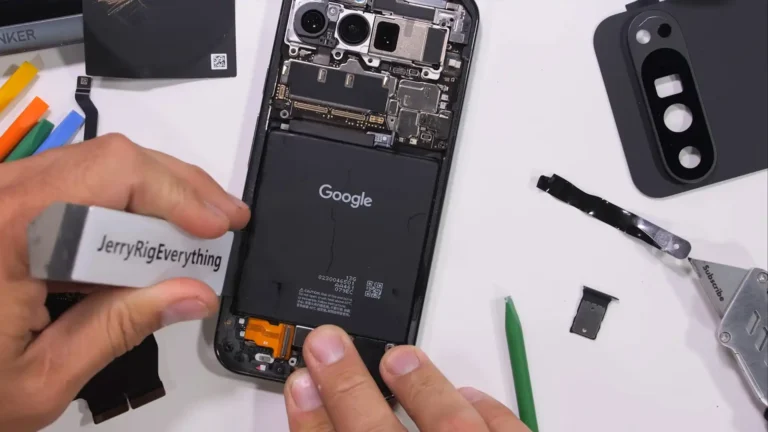
Samsung phones contain indicators that show water exposure. These help technicians assess damage levels.
Cleaning and Drying Internal Components
Technicians use:
- Specialized cleaning solutions
- Controlled drying equipment
This removes corrosion safely.
Testing Key Components
Professionals test:
- Battery
- Charging port
- Display
- Speakers and microphones
This ensures the phone functions reliably.
How Dr Mobile Approaches Water-Damaged Samsung Phones
Dr Mobile is known as a reliable Samsung phone repair service that handles water-damaged devices with care and technical attention. Their approach focuses on proper inspection, safe handling, and clear communication with customers.
Rather than relying on quick fixes, professional technicians assess internal conditions before recommending solutions. This helps users understand the condition of their water-damaged Samsung phone and make informed decisions about repair options.
How Long Should You Wait Before Visiting a Repair Shop?
Ideally, users should visit a repair shop:
- As soon as possible after water exposure
- Within 24 hours if symptoms appear
Early inspection improves the chances of successful Samsung water damage repair.
Data Safety Tips After Water Exposure
Protecting personal data is important when a phone is water-damaged.
Remove SIM and Memory Cards
These often survive water exposure and can be used in another device.
Avoid Logging In or Syncing
Until the phone is inspected, avoid actions that may stress internal components.
Backup Data If Possible
If the phone works briefly, back up important data, but stop immediately if issues appear.
Long-Term Risks of Ignoring Water Damage
Using a phone after water exposure without inspection can lead to:
- Sudden device failure
- Data loss
- Battery swelling or overheating
Professional evaluation helps avoid these risks.
Final Thoughts on Handling Samsung Water Damage
Water damage can happen unexpectedly, but the right response makes a significant difference. Turning off the phone, drying it safely, avoiding harmful methods, and seeking professional help are key steps.
Even if a Samsung phone seems fine after drying, internal moisture and corrosion may still exist. A trusted repair service like Dr Mobile can provide proper inspection and guidance, helping users protect their device and data.