Battery Replacement Tips to Keep Google Pixel Running Smoothly
Your Google Pixel is a reliable and powerful device, but like all smartphones, its performance heavily depends on battery health. Over time, batteries degrade, leading to slow performance, overheating, and unexpected shutdowns. Understanding when and how to replace your battery can keep your Pixel running smoothly, safely, and efficiently. In this guide, we’ll cover everything you need to know about Google Pixel battery replacement, maintenance, and safe handling practices.
Why Battery Health Matters for Google Pixel Performance
Your Pixel phone battery powers every function, from fast app launches to smooth multitasking. A declining battery can cause:
- Slower app response and reduced overall speed
- Unexpected shutdowns or restarts
- Overheating during use or charging
- Shortened daily usage time
Maintaining battery health ensures your Pixel phone battery issues do not interfere with daily tasks. It also reduces the risk of hardware damage and improves the overall longevity of your device.
Common Signs Your Pixel Battery Needs Replacement
Recognizing early signs of battery failure can prevent further damage. Look out for:
- Pixel battery draining fast: Your phone loses charge quickly, even after a full charge.
- Swollen phone battery: The phone casing may bulge, making the device unsafe to use.
- Phone overheating issue: Device heats up during normal usage or while charging.
- Unexpected shutdowns: The phone powers off even when the battery shows charge remaining.
- Slow performance: Lag or apps freezing can indicate insufficient power delivery.
If you notice one or more of these symptoms, it may be time for a Google Pixel battery replacement.
Causes of Battery Degradation in Smartphones
Lithium-ion batteries, like those in Google Pixel devices, degrade naturally over time. Common factors include:
- Frequent fast charging: While convenient, high voltage charging generates heat, reducing battery lifespan.
- High temperature exposure: Leaving your phone in hot cars or direct sunlight accelerates wear.
- Deep discharge cycles: Regularly letting your battery drop to 0% can strain its cells.
- Using low-quality chargers or cables: Non-certified accessories may deliver inconsistent power, affecting battery health.
- Software issues: Background apps and system bugs can increase battery load, causing faster wear.
Understanding these factors helps you prevent premature degradation and plan smartphone battery replacement at the right time.
How Battery Replacement Improves Speed, Stability, and Safety
Replacing an old or damaged battery can significantly restore your device’s performance. Benefits include:
- Enhanced speed and responsiveness: A healthy battery ensures stable power to the processor.
- Improved stability: Reduces unexpected shutdowns and freezing issues.
- Safer operation: Replacing a swollen or damaged battery prevents potential hazards, including leaks or fire.
- Extended daily usage: A new battery lasts longer between charges, improving convenience.
Regularly replacing your battery as needed is an investment in both safety and battery lifespan improvement.
Choosing the Right Replacement Battery
Selecting a high-quality battery is crucial for long-term device performance. Keep in mind:
- Original replacement battery: Always prioritize OEM or certified replacement batteries.
- Compatibility: Ensure the battery is designed specifically for your Google Pixel model.
- Warranty coverage: Batteries with warranties provide added assurance in case of defects.
- Capacity rating: Match or exceed the original battery’s mAh rating for optimal performance.
Avoid low-cost, unverified batteries, which may cause overheating, poor performance, or even permanent damage.
Professional vs DIY Battery Replacement – Risks and Benefits
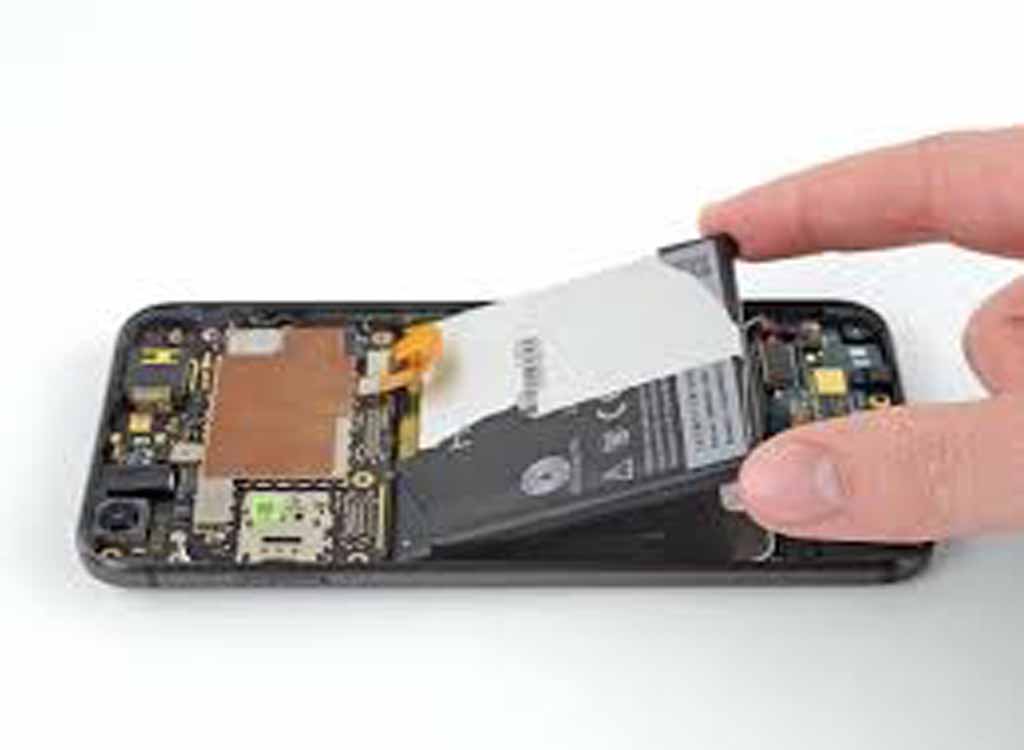
Deciding between professional repair or DIY replacement depends on your skill and comfort level.
DIY Battery Replacement
Benefits:
- Cost-effective
- Convenient if you have the right tools
Risks:
- Damage to delicate components
- Safety hazards with lithium-ion batteries
- Voiding warranty if done incorrectly
Professional Google Pixel Repair Service
Benefits:
- Trained technicians reduce risk of device damage
- Proper handling of batteries ensures safety
- Genuine parts used for long-term reliability
Risks:
- Higher cost
- Potential wait time for service
For most users, professional replacement is recommended to avoid Pixel phone battery issues and ensure safety.
Safety Precautions During Battery Handling
Lithium-ion batteries require careful handling. Follow these precautions:
- Avoid puncturing or bending the battery
- Keep batteries away from water and extreme heat
- Do not attempt to charge a swollen battery
- Use protective tools and gloves when handling old batteries
- Dispose of used batteries at certified recycling centers
Following these steps prevents accidents and ensures your smartphone battery replacement is safe and effective.
How to Extend Battery Life After Replacement
Once your Google Pixel has a new battery, adopting proper care can maximize its lifespan:
- Avoid full discharges; charge between 20%–80%
- Limit overnight charging
- Close unused apps and background processes
- Keep your device software updated
- Use original or certified chargers
These practices not only protect your battery but also maintain fast charging safety.
Charging Habits That Protect Battery Health
Your charging routine directly impacts battery longevity. Best practices include:
- Avoid overnight charging: Prevents prolonged high voltage exposure.
- Use certified fast chargers: Ensures safe voltage and current delivery.
- Monitor temperature: Remove phone cases if device heats during charging.
- Charge in moderate temperatures: Avoid extreme heat or cold environments.
Adopting smart charging habits helps prevent phone overheating issues and extends overall battery life.
Environmental Impact and Proper Battery Recycling
Old batteries can harm the environment if not disposed of correctly. Consider:
- Recycling at certified e-waste facilities
- Avoiding disposal in household trash
- Supporting programs that safely recover lithium and other materials
Responsible recycling helps reduce environmental impact and supports sustainable technology practices.
FAQs Related to Google Pixel Battery Replacement
Q1: How often should I replace my Pixel battery?
A1: Typically, every 2–3 years, or sooner if you notice rapid draining, swelling, or overheating.
Q2: Can I replace the battery myself?
A2: Yes, but it carries risks. Professional replacement ensures safety and avoids device damage.
Q3: Will replacing the battery improve phone speed?
A3: Yes. A healthy battery provides stable power, improving performance and reducing lag.
Q4: How do I know if my battery is swollen?
A4: The screen or casing may bulge, or the device may feel uneven when placed on a flat surface.
Q5: Can poor charging habits damage a new battery?
A5: Yes. Fast charging in high temperatures or frequent full discharges can shorten battery lifespan.
Conclusion
Maintaining a healthy battery is essential for your Google Pixel’s performance, safety, and longevity. Recognizing warning signs, choosing the right replacement battery, and following proper charging and maintenance practices ensures your device remains reliable for years. Whether you opt for a professional Google Pixel repair service or carefully perform a DIY replacement, prioritizing battery health protects your investment and improves daily smartphone experience.
By understanding battery health tips, practicing safe handling, and adopting smart charging habits, you can maximize battery lifespan and enjoy a smooth, efficient Google Pixel experience.