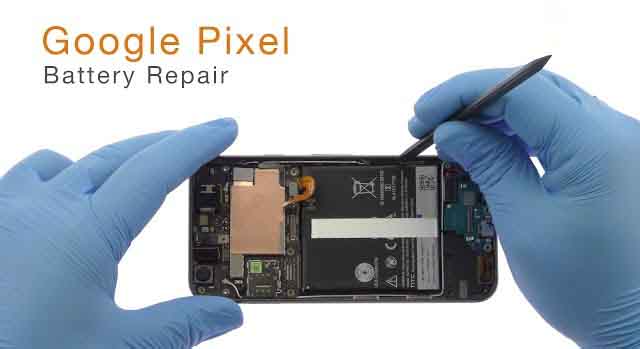
Google Pixel Battery Repair and Replacement Guide
A reliable battery is essential for smooth Google Pixel performance. Whether you use your smartphone for communication, work, entertainment, or daily tasks, battery health directly affects your overall experience. A damaged or aging battery can reduce device efficiency, create charging difficulties, and interrupt normal usage.
Many Google Pixel users experience common battery concerns such as fast draining, slow charging, overheating, sudden shutdowns, and reduced battery backup. These problems may develop due to regular usage, charging habits, software changes, or internal hardware issues.
Professional Google Pixel battery repair and replacement services can help restore battery performance and improve device reliability. A skilled repair provider like Dr Mobile offers proper inspection, troubleshooting, and repair solutions to help customers maintain their smartphones for longer.
Understanding Google Pixel Battery Issues
Google Pixel smartphones are designed with advanced battery technology, but battery performance can decrease over time. Understanding common Pixel phone battery issues helps users identify problems early and take suitable action.
Fast Battery Draining
Fast battery draining is one of the most common signs of battery health decline. If your Google Pixel loses power quickly even with normal usage, the battery may no longer hold sufficient charge.
Background applications, outdated software, high screen brightness, and an aging battery can all contribute to reduced battery performance.
Slow Charging Issues
Pixel charging problems can occur due to damaged charging ports, faulty chargers, software glitches, or battery-related issues. A phone that takes much longer than usual to charge may require professional inspection.
Unexpected Shutdowns
A Google Pixel device that turns off suddenly despite showing available battery percentage may have an unstable battery. This issue often appears when the battery cannot provide consistent power to the device.
Battery Health Decline
Like all rechargeable batteries, Google Pixel batteries naturally lose capacity after extended use. Reduced battery health means the device may require more frequent charging and may not perform as efficiently as before.
Overheating Problems
Excessive heat during charging or regular usage can indicate battery stress. Overheating may also result from software problems, charging accessories, or internal component issues that require proper troubleshooting.
Signs Your Google Pixel Battery Needs Repair or Replacement
Recognizing early warning signs can prevent further device problems. If you notice any of the following issues, your Google Pixel may need battery repair or replacement.
Reduced Battery Backup
A healthy battery should provide reliable usage throughout the day. If your Pixel smartphone battery percentage drops quickly, it may indicate reduced battery capacity.
Frequent Charging Requirements
Needing to charge your phone multiple times daily is a common indication of battery deterioration. A Google Pixel battery replacement may help restore normal usage time.
Device Performance Problems
Battery problems can sometimes affect overall device performance. Slow responses, unexpected app closures, or reduced efficiency may be connected to power-related issues.
Battery Swelling Concerns
A swollen or damaged phone battery requires immediate attention. Battery swelling can affect internal components and should only be handled by trained repair professionals.
Charging Interruptions
If charging starts and stops repeatedly, the issue may involve the battery, charging port, cable, or other internal components. Proper diagnosis is necessary before choosing a repair solution.
Common Causes of Google Pixel Battery Problems
Several factors can affect Google Pixel battery health over time. Understanding these causes can help users prevent unnecessary battery damage.
Long-Term Usage
Rechargeable batteries naturally lose capacity after hundreds of charging cycles. Regular smartphone use over several years can reduce battery performance.
Charging Habits
Using unreliable chargers, frequently allowing the battery to fully drain, or maintaining improper charging patterns may affect battery lifespan.
Software Updates
Software updates usually improve device performance, but some updates may temporarily increase battery consumption due to background processes and system adjustments.
Heat Exposure
High temperatures can negatively impact battery performance. Leaving a Google Pixel device in direct sunlight or hot environments may reduce battery efficiency.
Damaged Charging Components
Faulty charging cables, damaged ports, or poor-quality accessories can create charging problems and affect battery condition.
Google Pixel Battery Repair vs Battery Replacement
Many users wonder whether they need battery repair or a complete replacement. The correct solution depends on the condition of the battery and the cause of the problem.
Battery repair may help when the issue is related to charging components, software problems, or minor device settings. However, if the battery has significantly lost capacity or has physical damage, a Google Pixel battery replacement is usually the better option.
A professional inspection helps determine the exact problem before any repair work begins. Experienced technicians use proper diagnostic methods to identify whether the battery, charging system, or another component is responsible.
Professional repair services also ensure that the correct tools and techniques are used. Attempting a battery replacement without proper knowledge can damage internal parts and reduce device safety.
Google Pixel Battery Replacement Process
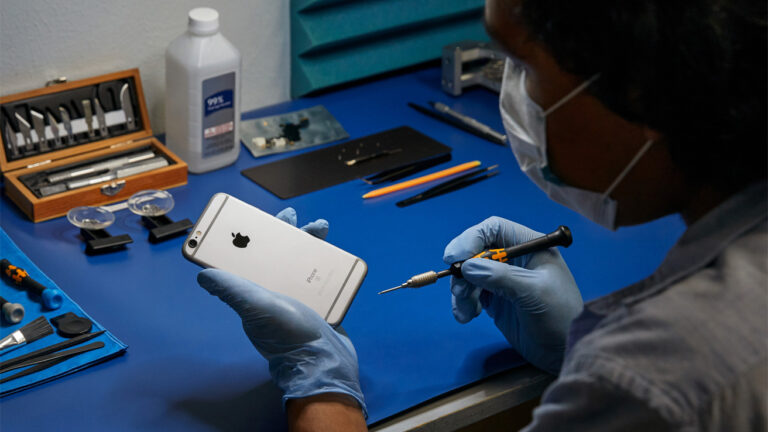
A professional Google Pixel battery replacement follows a careful process to protect the device and ensure reliable performance.
Device Inspection
The repair technician first checks the smartphone condition and identifies battery-related symptoms. This helps determine whether replacement is required.
Battery Condition Checking
Technicians evaluate battery performance, charging behavior, and possible hardware issues before starting the replacement process.
Safe Battery Removal
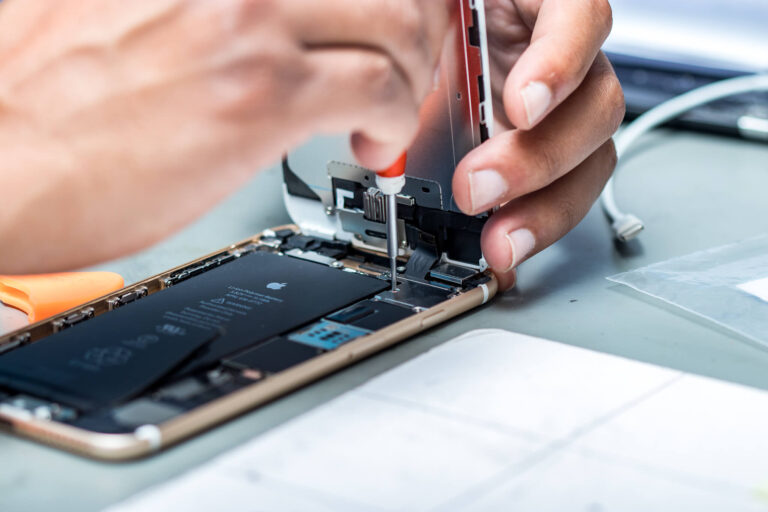
Removing a smartphone battery requires specialized tools and experience. Professional technicians carefully open the device to avoid damage to internal components.
Installation of a New Battery
A suitable replacement battery is installed correctly to ensure proper connection and stable performance.
Final Performance Testing
After installation, the device is tested for charging ability, battery performance, and overall functionality to confirm the repair quality.
Why Choose Professional Google Pixel Battery Repair Services?
Choosing a professional phone repair service provides several benefits compared to attempting battery replacement without technical experience.
Experienced Technicians
A qualified Google Pixel repair technician understands smartphone structures and can handle battery-related issues safely.
Proper Diagnostic Tools
Professional repair centers use suitable tools to identify battery problems accurately. This reduces unnecessary repairs and saves time.
Quality Replacement Parts
Using reliable replacement parts helps maintain battery performance and supports longer device lifespan.
Safe Repair Process
Battery replacement requires careful handling. Professional technicians follow safe procedures to protect both the device and user.
Better Device Protection
A trusted repair service reduces the risk of additional damage and helps maintain the original condition of the smartphone.
Other Phone Repair Services Available at Dr Mobile
Besides Google Pixel battery solutions, Dr Mobile provides various mobile phone repair services to support different smartphone needs.
iPhone Repair Services
iPhone users may experience battery issues, cracked screens, charging problems, camera faults, and other hardware concerns. Professional iPhone repair services help diagnose and resolve these problems while maintaining device performance.
Dr Mobile provides solutions for common iPhone issues, including battery replacement, screen repairs, and general hardware troubleshooting.
Samsung Repair Services
Samsung smartphones can develop battery problems, display damage, charging issues, and performance-related concerns. Proper Samsung repair services help restore device functionality.
Dr Mobile offers Samsung repair solutions designed to address different smartphone problems with careful inspection and professional techniques.
Google Repair Services
Google Pixel devices require specialized knowledge because of their unique hardware design. Dr Mobile provides Google repair services, including battery replacement, troubleshooting, and performance-related solutions.
Computer Repair Services at Dr Mobile
Dr Mobile also supports computer users with reliable repair solutions for different devices.
Laptop Repair Services
Laptop problems may include hardware failures, slow performance, software errors, overheating, and charging issues. A professional laptop repair service can identify the cause and provide suitable solutions.
Regular maintenance and timely repairs can improve laptop performance and extend device lifespan.
Desktop Repair Services
Desktop computers may require troubleshooting for hardware problems, operating system errors, upgrades, and performance issues.
Professional desktop repair services help users maintain reliable computer operation for personal and business needs.
Additional Mobile Services Offered by Dr Mobile
Dr Mobile provides additional mobile solutions beyond repair services to improve convenience and device protection.
SIM Card Activation
SIM card activation support helps users connect their devices properly and resolve common connectivity issues.
Phone Accessories
Quality phone accessories can improve device usability and protection. Dr Mobile offers useful accessories to support different smartphone needs.
Phone Cases
Protective phone cases help reduce the risk of accidental damage caused by drops, impacts, and everyday handling.
Screen Protectors
Screen protectors provide an additional layer of protection against scratches and minor screen damage. They are an important part of mobile device maintenance.
Tips to Extend Google Pixel Battery Life
Proper care can improve battery performance and increase the lifespan of your Google Pixel device.
Avoid Extreme Temperatures
Keep your smartphone away from excessive heat and very cold conditions to protect battery health.
Use Reliable Chargers
Using trusted charging accessories helps maintain stable charging performance and reduces battery stress.
Manage Background Apps
Closing unnecessary background applications can reduce power consumption and improve battery backup.
Keep Software Updated
Regular software updates can improve system efficiency and help optimize battery usage.
Maintain Proper Charging Habits
Avoiding frequent complete battery drains and maintaining balanced charging habits can support long-term battery health.
Conclusion
A healthy battery plays an important role in maintaining Google Pixel performance and reliability. Issues like fast draining, charging interruptions, overheating, and reduced battery backup should be addressed before they become serious problems.
Professional Google Pixel battery repair and replacement services provide a safer and more effective solution for restoring smartphone performance. Dr Mobile helps customers with reliable phone repair, computer repair, and mobile accessory solutions, including Google Pixel repair, iPhone repair, Samsung repair, laptop repair service, and other electronic repair services.
With proper troubleshooting, quality service, and regular device maintenance, users can enjoy better battery performance and a longer-lasting digital experience.