Why Google Pixel Cameras Fail and How Repairs Restore Quality
The camera is one of the most essential features on a Google Pixel smartphone. From capturing everyday moments to creating professional-quality photos, Pixel cameras are known for their impressive imaging capabilities. However, even the most advanced smartphone cameras can encounter problems. When a Google Pixel camera fails, it can be frustrating, limiting the device’s functionality and affecting user experience. Understanding common Pixel camera issues, their causes, and how repairs can restore camera performance is vital for keeping your device in optimal condition.
Maintaining a fully functional camera ensures that users continue to enjoy the high-quality photography that Pixel phones are known for. This article explores why Google Pixel cameras fail, the common problems users face, and how professional repairs can restore quality.
Common Google Pixel Camera Problems
Several issues can affect Google Pixel cameras. Recognizing these problems helps users understand when repair is necessary.
Blurry or Out-of-Focus Photos
Blurry images are a frequent complaint among Pixel users. This can occur due to lens misalignment, dirt, or hardware defects. Even the slightest lens obstruction can affect photo clarity.
Camera App Crashes
Sometimes, the Google Pixel camera app may crash or fail to open. Software glitches, corrupted updates, or conflicts with other apps can cause these interruptions.
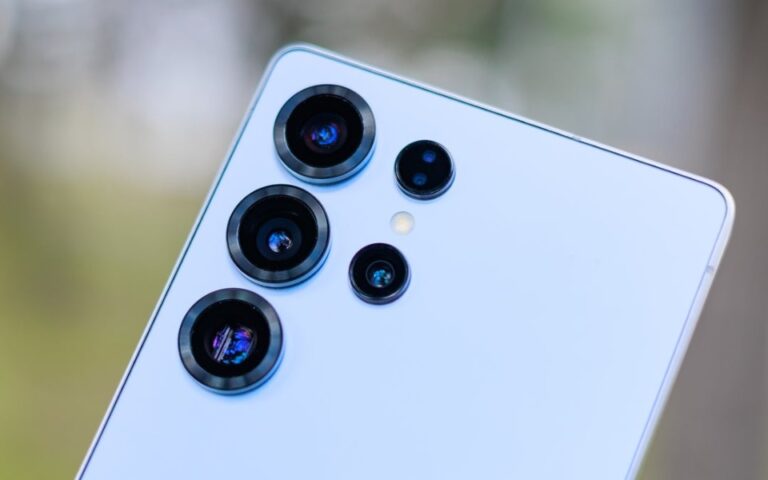
Camera Lens Damage
Scratches, cracks, or dust on the camera lens can significantly impact photo quality. Physical damage is common if the device is dropped or exposed to rough surfaces.
Pixel Camera Not Working
In some cases, the camera may stop functioning entirely. Users might see a black screen, error messages, or freezing during use. This is often linked to either hardware malfunctions or software issues.
Poor Low-Light Performance
Pixel cameras are renowned for low-light photography, but issues like blurry night shots or grainy images can occur due to faulty sensors or lens problems.
Autofocus Problems
A malfunctioning autofocus system can make it difficult to capture sharp images. This can happen if the lens or sensor is damaged, or if software calibration fails.
Causes of Camera Failures
Understanding why Pixel cameras fail is crucial to preventing further damage. Most problems stem from hardware or software issues.
Hardware Damage
Physical damage is one of the main causes of camera failure. Drops, bumps, or impacts can misalign camera components, damage the lens, or affect the internal sensor. Even minor damage can result in blurry photos or a completely non-functional camera.
Software Glitches and Updates
Pixel devices frequently receive software updates to improve performance and security. While updates are beneficial, they can sometimes create conflicts with camera functionality. A corrupted update or a bug in the camera app may cause crashes or autofocus problems.
Exposure to Water or Moisture
Although many Pixel phones are water-resistant, prolonged exposure to moisture can harm delicate camera components. Water damage can cause blurred images, lens fogging, or complete camera failure.
Dust and Dirt Accumulation
Particles that enter the camera lens or sensor can degrade photo quality. Dust and dirt accumulation is common when phones are used in outdoor or dusty environments without proper protection.
Battery and Overheating Issues
In some cases, overheating or battery-related problems may affect the camera’s performance. Overheating can lead to temporary shutdowns of the camera or slow image processing.
How Repairs Restore Camera Quality
Professional repairs can address both hardware and software issues, restoring the Pixel camera to its full potential.
Hardware Replacement
Damaged camera modules, lenses, or sensors can be replaced with original parts. Replacing a faulty camera module often resolves problems such as blurry images, autofocus failure, and complete camera shutdown.
Lens Cleaning and Polishing
For minor scratches or dirt on the lens, cleaning and polishing can improve photo clarity. Technicians use specialized tools to remove dust, smudges, and minor scratches without affecting camera integrity.
Software Troubleshooting
If the camera issue is software-related, repairs may involve updating, reinstalling, or resetting the camera app. Professionals can identify conflicts caused by updates, corrupted files, or app errors, ensuring smooth operation.
Sensor Calibration
In some cases, recalibrating the camera sensor restores focus and image quality. Calibration aligns the lens and sensor to function accurately, improving sharpness and overall performance.
Water Damage Repair
Water-exposed cameras may require drying, cleaning, and component replacement. Professionals can prevent corrosion and restore camera functionality after moisture exposure.
Comprehensive Testing
After repair, the camera undergoes extensive testing to ensure all features, including autofocus, flash, and low-light capabilities, work correctly. This step ensures that users receive the quality they expect from a Pixel camera.
Tips to Maintain Pixel Camera Health
Preventing future issues is as important as repair. Here are practical tips to maintain your Google Pixel camera:
- Use Protective Cases – A sturdy case with a raised edge protects the lens from drops and scratches.
- Avoid Moisture Exposure – Even water-resistant phones can be harmed by prolonged contact with liquids. Use caution around pools, rain, and high-humidity environments.
- Clean the Lens Regularly – Use a microfiber cloth to gently remove fingerprints, dust, or dirt from the lens.
- Update Software Carefully – Keep your phone updated but monitor for camera app errors after updates. Roll back or reinstall if problems occur.
- Handle Your Phone Gently – Avoid dropping or placing the phone in environments where it could be scratched, banged, or overheated.
- Check for App Conflicts – Third-party apps can interfere with the camera. Close unnecessary apps to maintain performance.
Conclusion
The Google Pixel camera is a powerful tool for capturing memories and high-quality images, but it is not immune to problems. Issues such as blurry photos, camera app crashes, lens damage, and software glitches are common among users. These problems often stem from hardware damage, software conflicts, water exposure, and dust accumulation.
Professional repairs, including hardware replacement, lens cleaning, software troubleshooting, and sensor calibration, can restore camera quality effectively. Combined with proactive maintenance, these steps ensure that a Pixel camera continues to perform at its best. Understanding the causes of camera failure and addressing them promptly helps users protect their investment and enjoy consistent photography performance.