Common Laptop Problems and How Professionals Ensure Reliable Repairs
Laptops are an essential part of daily life for students, office workers, freelancers, and regular users. They allow work, study, and communication to happen anywhere. Over time, even the best laptops can develop issues due to regular use. Understanding common laptop problems and how professionals handle repairs helps users keep their devices functional. Professional laptop repair ensures accurate diagnosis, safe handling, and reliable laptop repair solutions.
Most Common Laptop Problems
Laptops can face several issues. Knowing the signs can help users address problems early.
1. Slow Performance
A laptop may run slowly due to overloaded memory, unnecessary background programs, or fragmented storage. Users often notice delayed startup, slow software operation, and freezing during tasks.
2. Overheating
Excessive heat can make a laptop uncomfortable to use. Overheating may cause sudden shutdowns, reduced performance, or even damage internal components.
3. Battery Not Charging
Laptop batteries degrade over time. Charging issues may appear as slow charging, failure to reach full capacity, or the laptop shutting down even when plugged in.
4. Broken Screen
Cracks, flickering, or dead pixels can occur due to accidental drops or pressure. A damaged screen reduces usability and can worsen if ignored.
5. Keyboard or Touchpad Issues
Keys may stop working, stick, or become unresponsive. The touchpad might fail to register movements or clicks. These problems affect productivity significantly.
6. Software Crashes or Update Failures
Operating system errors, application crashes, or failed updates can interrupt work. They may also cause data loss if not addressed promptly.
7. Hard Drive or Storage Problems
Hard drives or SSDs may fail due to wear and tear. Users might notice slow data access, unusual noises, or inability to save files.
Causes Behind These Problems
Understanding why laptops develop issues helps prevent them. Common causes include:
- Dust Buildup: Dust can block fans and vents, causing overheating and slow performance.
- Aging Hardware: Components such as battery, RAM, and hard drive wear out over time.
- Improper Handling: Drops, spills, and rough use can damage screens, keyboards, and internal parts.
- Outdated Software: Old drivers and operating systems may lead to crashes and compatibility issues.
- Power Issues: Using incorrect chargers or sudden power loss can harm batteries and internal circuits.
Why Professional Repair Matters
Professional laptop repair offers advantages over attempting fixes at home.
Accurate Diagnosis
Experts can identify the exact cause of issues instead of guessing. This reduces the risk of further damage.
Use of Proper Tools
Professional repairs use tools designed for laptop components. This ensures safe and precise handling.
Safe Handling of Internal Components
Opening a laptop incorrectly can damage delicate parts. Professionals know how to access components safely.
Data Protection During Repair
Experts follow procedures to protect important files while fixing hardware or software issues.
Long-Term Reliability
A professional repair often restores functionality longer than temporary home fixes.
How Experts Ensure Reliable Repairs
Professional repair technicians follow a structured process to ensure laptops work correctly after repair.
Full Device Inspection
Technicians check all parts, from hardware to software, to identify problems clearly.
Hardware Testing
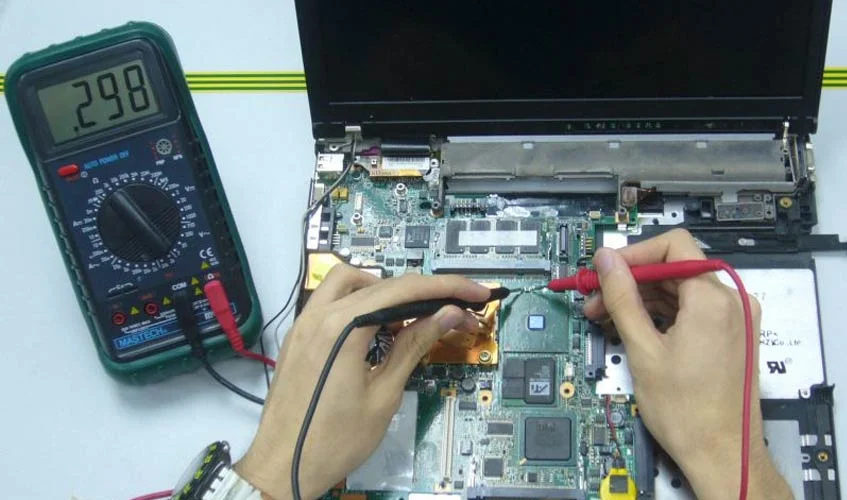
RAM, battery, hard drive, and other components are tested for performance and reliability.
Genuine Parts Replacement
If a component is faulty, professionals use compatible or original parts for repair.
Thermal Cleaning and Maintenance
Fans, vents, and heat sinks are cleaned to prevent overheating and improve performance.
System Optimization After Repair
After hardware fixes, the system is optimized to run smoothly, including software updates and configuration checks.
Tips to Prevent Future Laptop Problems
Proper care helps laptops last longer and reduces repair frequency.
- Regular Cleaning: Wipe the keyboard, screen, and vents to avoid dust buildup.
- Safe Charging Habits: Use correct chargers and avoid overcharging.
- Software Updates: Keep the operating system and applications current to prevent crashes.
- Proper Storage and Transport: Use padded bags and avoid placing heavy items on laptops.
Conclusion
Laptops are vital for work, study, and daily tasks. Common laptop problems like slow performance, overheating, and battery issues can disrupt productivity. Professional laptop repair provides accurate diagnosis, safe handling, and reliable laptop repair solutions. Regular laptop maintenance, proper handling, and timely repairs ensure devices remain functional for longer. Understanding issues and prevention strategies keeps laptops in good condition and extends their lifespan.