Google Pixel Repairs That Restore Speed, Function, and Performance
Google Pixel devices are known for their clean software experience, strong cameras, and seamless integration with Android updates. However, like any smartphone, they can develop issues over time that affect usability and reliability. Many users begin to notice slow performance, battery drain, overheating, or charging failures after months or years of daily use.
These problems are often frustrating because they interrupt routines, reduce productivity, and make even simple tasks feel difficult. Fortunately, most Pixel phone performance issues are not permanent. With accurate diagnostics and proper Google Pixel repair, devices can regain their original speed, responsiveness, and functionality.
Understanding what causes these problems—and how professional repair addresses them—helps users make informed decisions about restoring their phones rather than replacing them prematurely.
Understanding Why Google Pixel Performance Declines
Smartphones operate through a balance of hardware and software working together. When one part begins to fail or becomes inefficient, the entire system may slow down.
Over time, storage fills up, background processes increase, and batteries lose their ability to hold a charge. These gradual changes can create noticeable lag, app crashes, and reduced responsiveness.
Physical wear also plays a role. Drops, exposure to heat, or charging with worn cables can affect internal components, leading to issues that feel like software problems but are actually hardware-related.
A slow Google Pixel fix begins with identifying which of these factors is responsible.
Common Google Pixel Issues Users Experience
Sluggish Performance and Lag
One of the most frequent complaints is that the device no longer feels fast. Apps may take longer to open, scrolling becomes less smooth, and multitasking feels delayed.
This often results from accumulated system data, aging storage components, or background services consuming resources.
Rapid Battery Drain
As batteries age, they lose their ability to maintain stable voltage. This can cause the phone to drain quickly, shut down unexpectedly, or struggle to last through the day.
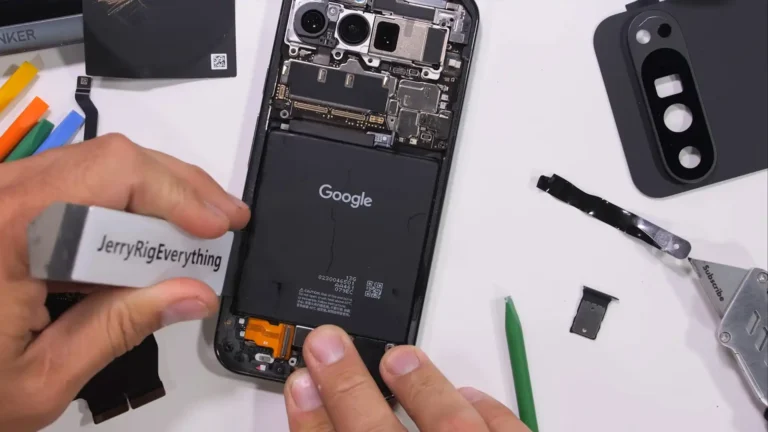
In many cases, a battery replacement Google Pixel service restores both longevity and stable performance.
Overheating During Use
Excessive heat can appear during gaming, video recording, or even normal browsing. Overheating is commonly linked to degraded batteries, inefficient processors under stress, or internal dust buildup.
Heat not only affects comfort but also slows the phone automatically as a protective measure.
Charging Problems
Users sometimes report that their Pixel charges slowly, only at certain angles, or not at all. This issue can stem from worn charging ports, damaged connectors, or failing power circuits.
Addressing charging faults early prevents further internal damage.
Screen Damage or Touch Issues
Cracked displays or unresponsive touch areas interfere with daily use. Pixel screen repair resolves both visual and functional problems, ensuring the device responds accurately again.
Ignoring screen damage may allow debris or moisture to enter and create additional complications.
Connectivity and Signal Problems
Wi-Fi dropouts, Bluetooth instability, or weak cellular signals can result from antenna damage or internal board issues.
These problems often appear after accidental drops, even if no external damage is visible.
The Importance of Timely Google Pixel Repair
Delaying repairs can allow minor issues to develop into more complex failures. A weakened battery, for example, may strain other components if not replaced.
Similarly, using a phone with charging issues can damage the motherboard over time. Early intervention reduces the risk of cascading problems.
Timely Google Pixel repair helps maintain device stability and prevents the need for more extensive restoration later.
It also preserves user data and avoids the inconvenience of sudden device failure.
How Proper Diagnostics Restore Phone Speed and Function
Identifying the Root Cause
Effective repair begins with a comprehensive evaluation of both software and hardware systems. Performance issues rarely come from a single cause.
Technicians assess battery health, storage condition, thermal behavior, and system integrity to locate performance bottlenecks.
Separating Symptoms from Causes
A slow device may appear to need a software reset, but the true issue might be hardware degradation. Diagnostics prevent unnecessary fixes and ensure accurate solutions.
This targeted approach helps restore phone speed and function without disrupting healthy components.
Using the Right Replacement Components
When replacement parts are required, compatibility and calibration are essential. Batteries, screens, and connectors must align with device specifications to maintain performance.
Correct installation ensures the phone operates efficiently after repair.
Software-Related Problems vs. Hardware Failures
Understanding whether an issue is software-based or hardware-related is key to choosing the right solution.
Software-Related Issues
Software problems often develop gradually due to system updates, app conflicts, or corrupted files.
Signs of software-related trouble include:
- Random app crashes
- Slower animations
- Storage warnings
- System glitches after updates
These issues may be resolved through system optimization, cleanup, or recalibration rather than part replacement.
Hardware-Related Issues
Hardware failures typically result from aging components, environmental exposure, or physical impact.
Indicators include:
- Sudden shutdowns
- Charging inconsistency
- Display malfunction
- Overheating during simple tasks
Hardware repairs, such as Pixel screen repair or battery replacement Google Pixel services, directly address these failures.
How Expert Repair Improves Device Lifespan
Stabilizing Power Delivery
Replacing worn batteries restores stable energy flow. This prevents performance throttling and supports consistent processing speed.
Stable power also reduces unexpected shutdowns.
Enhancing Thermal Management
Repairing or replacing degraded internal components helps regulate temperature. Proper heat control allows the processor to operate at intended capacity.
This results in smoother performance during everyday tasks.
Restoring Responsiveness
Fixing screens, connectors, and internal pathways improves how quickly the device reacts to user input. A repaired device often feels significantly faster, even without major upgrades.
Preventing Secondary Damage
Addressing one failing component prevents strain on others. Early repair reduces long-term wear across the system.
The Role of Professional Phone Repair Service in Performance Recovery
A professional phone repair service focuses not only on fixing visible damage but also on restoring full device functionality.
This includes testing internal systems, verifying software stability, and ensuring that repaired parts communicate correctly with the operating system.
Careful calibration after repair helps maintain features like adaptive brightness, battery optimization, and performance balancing.
Such attention to detail ensures the phone operates as intended rather than simply appearing fixed.
Signs Your Google Pixel Needs Immediate Attention
Certain symptoms indicate that repair should not be delayed.
- Battery drains within hours of charging
- Phone becomes hot during basic use
- Screen responsiveness declines
- Charging cable must be adjusted repeatedly
- Apps freeze or restart frequently
Recognizing these warning signs allows users to address problems before they worsen.
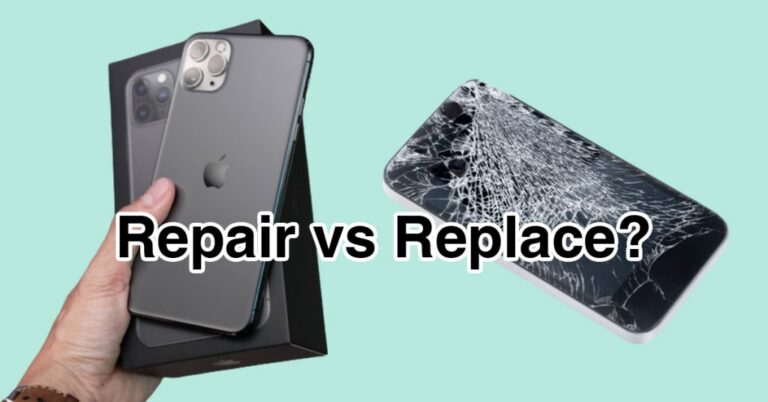
Repair vs. Replacement: Why Restoration Often Makes Sense
Many users assume that declining performance means it is time to replace their device. However, smartphones are designed with repairable components that can extend usability for years.
Replacing a battery or screen often resolves the majority of functional complaints.
Restoration allows users to continue using a familiar device without the learning curve of a new one.
It also reduces electronic waste by extending the lifecycle of existing technology.
Maintaining Performance After Google Pixel Repair
Repair is only part of the process. Proper maintenance helps ensure long-term stability.
Keep Software Updated
System updates include performance improvements and security patches. Installing them regularly supports efficient operation.
Avoid delaying updates for extended periods.
Manage Storage Carefully
Keeping sufficient free space allows the system to function smoothly. Delete unused apps and large files periodically.
Cloud backups can help reduce local storage strain.
Use Quality Charging Accessories
Inconsistent power delivery can shorten battery life. Reliable charging equipment supports stable energy flow and protects internal circuits.
Avoid Extreme Temperatures
Excessive heat or cold affects battery chemistry and processing efficiency. Keeping the device within moderate temperature ranges preserves performance.
Restart the Device Periodically
Occasional restarts clear temporary processes and refresh system resources. This simple habit can prevent gradual slowdowns.
Preventing Future Pixel Phone Performance Issues
Preventive care reduces the likelihood of recurring problems.
Use protective cases to minimize impact damage. Clean charging ports gently to prevent debris buildup.
Monitor battery behavior and address unusual changes early.
Regular attention keeps the device functioning reliably long after repair.
How Repairs Help Restore Everyday Productivity
Smartphones are central to communication, navigation, work, and entertainment. When performance declines, daily routines become inefficient.
Repair restores quick app launches, smooth navigation, and dependable battery life.
A properly functioning Pixel supports productivity without interruptions or technical frustrations.
The Long-Term Value of Addressing Issues Early
Ignoring small issues can shorten a device’s usable lifespan. Addressing them promptly keeps systems balanced and prevents avoidable stress on internal components.
Consistent performance depends on maintaining both hardware integrity and software health.
Repair is not only about fixing what is broken but also about preserving what still works well.
Frequently Asked Questions
How do I know if my Pixel needs repair or just optimization?
If problems persist after clearing storage and updating software, hardware may be involved. Diagnostics can determine whether repair is necessary.
Will replacing the battery improve speed?
Yes. A degraded battery can limit processing performance. Battery replacement Google Pixel services often restore responsiveness and stability.
Is screen damage only a cosmetic issue?
No. Cracks can affect touch sensitivity and expose internal components. Pixel screen repair prevents further damage and ensures proper functionality.
Can repairs really extend the phone’s life?
Addressing worn components allows the device to operate efficiently again. Many performance issues are reversible with the right repair approach.
Conclusion
Google Pixel devices are built for long-term usability, but everyday wear, aging components, and technical faults can gradually reduce their performance. Slow speeds, battery problems, overheating, and physical damage are common challenges that affect many users.
Through accurate diagnostics and thoughtful Google Pixel repair, these issues can be resolved in a way that restores phone speed and function while preserving the integrity of the device. Addressing problems early helps maintain reliability, extend lifespan, and ensure that the phone continues to support daily needs without interruption.