Fix Samsung Charging Port Issues and Avoid Costly Replacements
Samsung smartphones are designed for durability and daily use, yet charging port problems remain one of the most common issues users face. A device that fails to charge properly can disrupt work, communication, and daily routines. Understanding how to fix Samsung charging port issues early can help users avoid unnecessary stress and prevent expensive phone replacements.
This article explains the common causes of charging port problems, early warning signs, safe troubleshooting steps, and when professional help is required. It also compares repair versus replacement costs and explains how expert technicians at Dr Mobile handle Samsung charging port repair with care and precision.
Understanding Samsung Charging Port Problems
The charging port is a critical component that connects the phone to power sources and data cables. Over time, this small but essential part can develop faults due to regular use and environmental exposure.
Common Causes of Charging Port Issues
Several factors contribute to charging port problems in Samsung devices:
- Dust and debris buildup
Lint, dust, and pocket debris can collect inside the port, blocking proper contact between the cable and connectors. - Frequent cable insertion and removal
Repeated plugging and unplugging may loosen internal connectors over time. - Use of low-quality charging cables
Non-certified or damaged cables can strain the charging port and cause internal wear. - Moisture exposure
Water or humidity can corrode charging pins, leading to unreliable charging or complete failure. - Accidental drops or impact
Physical damage from drops may misalign or crack internal components connected to the port.
These issues often start small but can worsen if ignored, eventually resulting in a phone that will not charge at all.
Early Warning Signs of Charging Port Failure
Recognizing early signs can help users act before the problem becomes severe. Many Samsung users notice subtle changes before complete failure occurs.
Signs That Should Not Be Ignored
- Samsung not charging unless the cable is held at a specific angle
- Loose or wobbly charging cable connection
- Slow or inconsistent charging
- Charging interruptions during use
- Phone only charging with certain cables or chargers
These warning signs indicate underlying charging port problems that may require attention. Addressing them early can prevent more complex Samsung phone repair needs later.
Safe Troubleshooting Steps Users Can Try
Before seeking professional repair, users can attempt a few safe and basic troubleshooting steps. These actions can sometimes resolve minor charging port issues.
Basic Checks and Cleaning
- Inspect the charging cable and adapter
Test with an original or certified Samsung charger to rule out accessory-related issues. - Check for visible debris in the port
Use a flashlight to inspect the port carefully. - Gently clean the charging port
Use a soft wooden toothpick or compressed air. Avoid metal objects that could damage connectors.
Software and Power Checks
- Restart the phone
A simple reboot can resolve temporary software glitches affecting charging. - Update the device software
System updates may fix charging-related bugs. - Try charging in safe mode
This helps determine if third-party apps are interfering with charging.
If these steps do not improve charging performance, further attempts may risk damaging the port. At this stage, professional assessment is recommended.
When Professional Samsung Charging Port Repair Is Necessary
Not all charging port problems can be fixed at home. Certain symptoms indicate the need for expert intervention.
Situations That Require Professional Repair
- The phone does not charge at all with multiple cables and adapters
- The charging port feels loose or damaged
- The device shows moisture damage warnings
- Charging stops completely after cleaning attempts
- Data transfer through the port fails
Professional Samsung charging port repair ensures the issue is addressed without harming other components. Trained technicians use specialized tools to inspect internal connections safely.
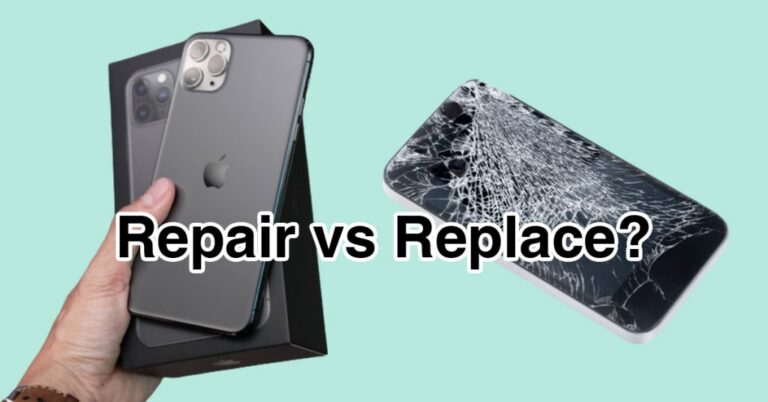
Repair vs. Replacement: Understanding the Cost Difference
One of the main concerns for users experiencing charging issues is whether to repair the phone or replace it entirely.
Cost Comparison Overview
Charging Port Repair
- Generally costs significantly less than buying a new device
- Preserves existing data and settings
- Extends the lifespan of the phone
- Reduces electronic waste
Full Device Replacement
- Often costs several times more than repair
- Requires data transfer and setup
- May not be necessary if the issue is limited to the port
For most users, fixing charging port problems is the more practical and cost-effective option. Professional repair helps avoid phone replacement costs while restoring reliable charging.
How Dr Mobile Handles Samsung Charging Port Repairs
Expert handling is essential when dealing with delicate internal components. Dr Mobile follows a careful and systematic approach to Samsung phone repair.
Diagnostic Assessment
Technicians begin with a detailed inspection to confirm whether the issue lies in the charging port or related components such as the battery or charging IC.
Precision Repair Process
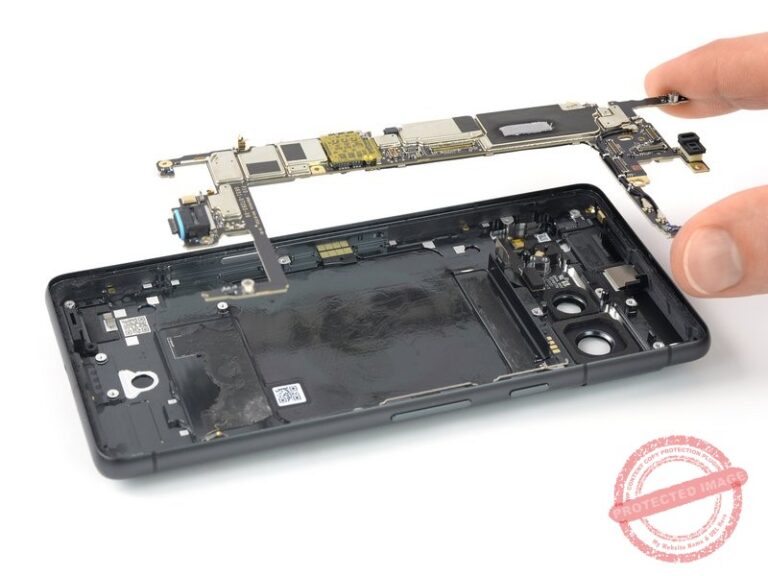
- Safe device disassembly using professional tools
- Thorough cleaning or replacement of the damaged charging port
- Testing with certified chargers to ensure stable power flow
- Quality checks to confirm proper charging and data connectivity
This structured process ensures that Samsung charging port repair is completed accurately and safely.
Focus on Long-Term Reliability
Rather than temporary fixes, Dr Mobile prioritizes durable repair solutions. This approach helps users avoid recurring charging problems and protects other internal components from further damage.
Preventing Future Charging Port Problems
Proper care can significantly reduce the risk of charging port issues and extend the life of a Samsung smartphone.
Practical Prevention Tips
- Use original or certified charging accessories
- Avoid charging the phone in dusty or humid environments
- Keep the device away from water and moisture
- Insert and remove charging cables gently
- Periodically check and clean the charging port safely
These habits help maintain consistent charging performance and reduce the need for frequent repairs.
Choosing a Reliable Samsung Phone Repair Service
Selecting a professional repair service ensures the phone is handled correctly and safely.
What Users Should Look For
- Experience with Samsung devices
- Use of quality replacement parts
- Transparent repair process
- Skilled technicians trained in charging port problems
A reliable repair service helps users regain full device functionality without unnecessary replacements.
Conclusion
Charging port problems are common but manageable when addressed promptly. Learning how to fix Samsung charging port issues early can prevent frustration, data loss, and expensive replacements. While basic troubleshooting may resolve minor issues, professional Samsung charging port repair is often the safest and most effective solution.
With expert diagnostics, precise repair methods, and a focus on long-term reliability, services like Dr Mobile help users avoid phone replacement costs and extend the life of their Samsung devices. Regular care, safe charging habits, and timely repairs ensure consistent performance and dependable daily use for years to come.